 Lucia.
Personal finance you own.
- Your iCloud, never our servers
- No account
- Zero trackers

- 5,000+
- downloads
- 4.9
- on the App Store
- #11
- in Colombia's App Store
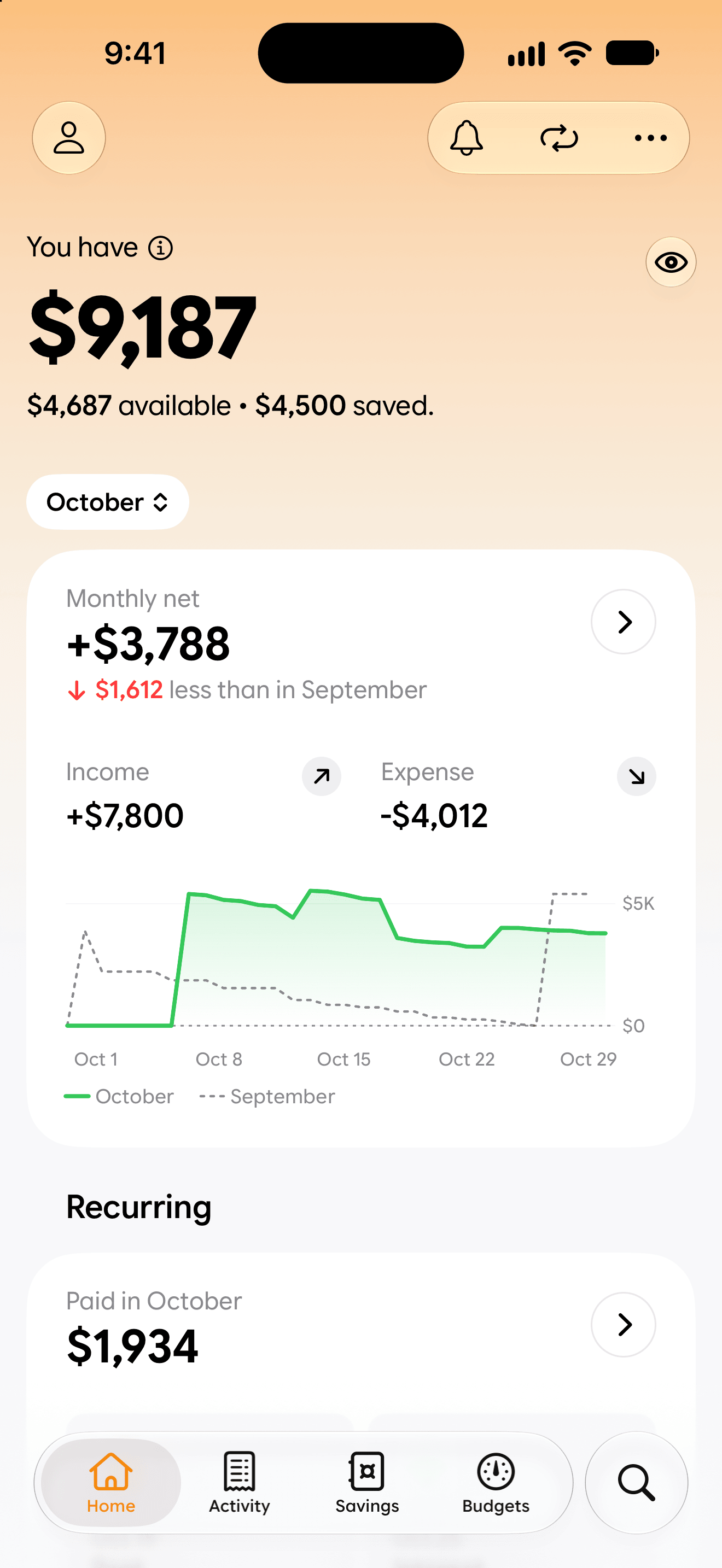
Your money, at a glance.
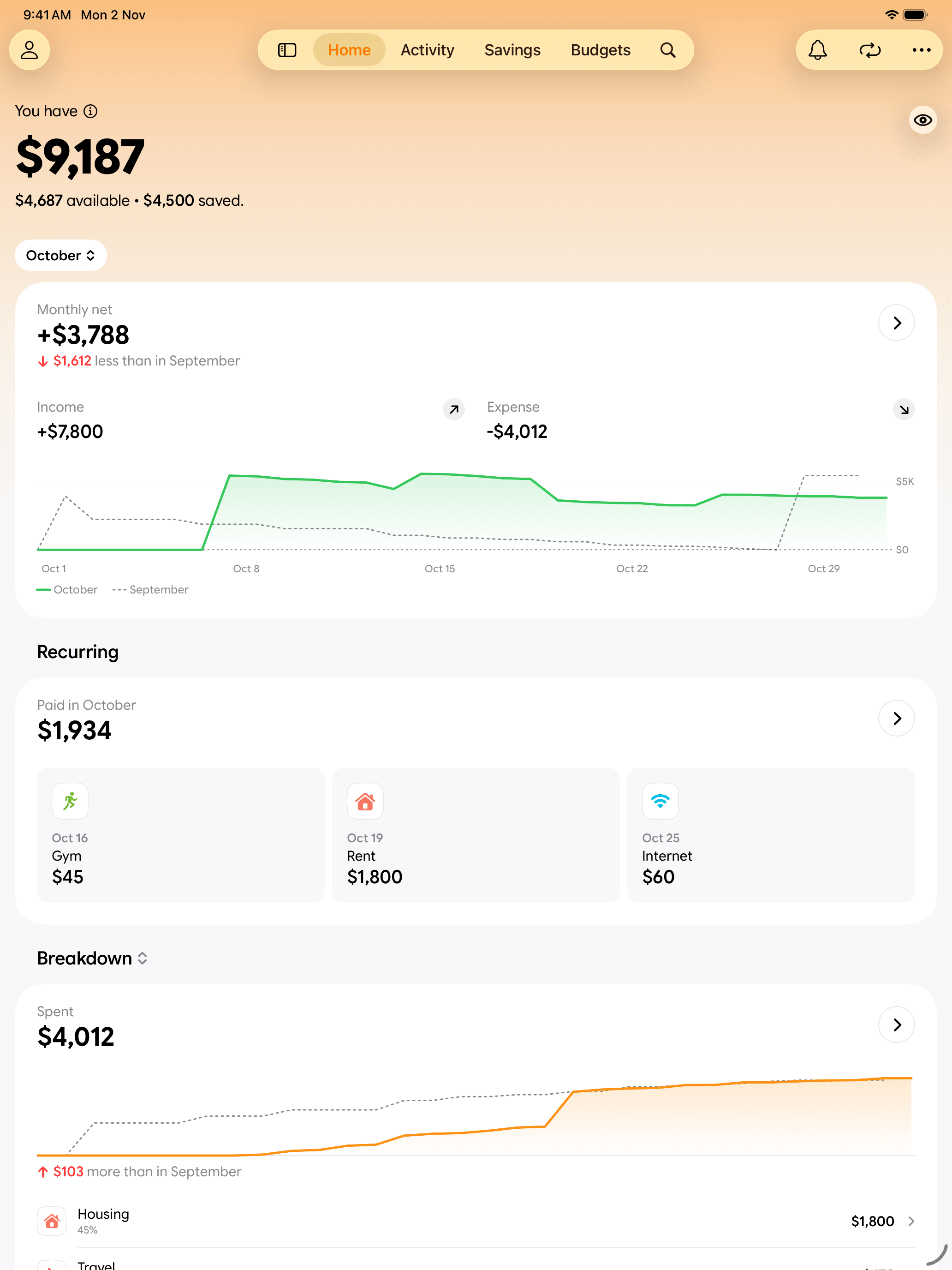
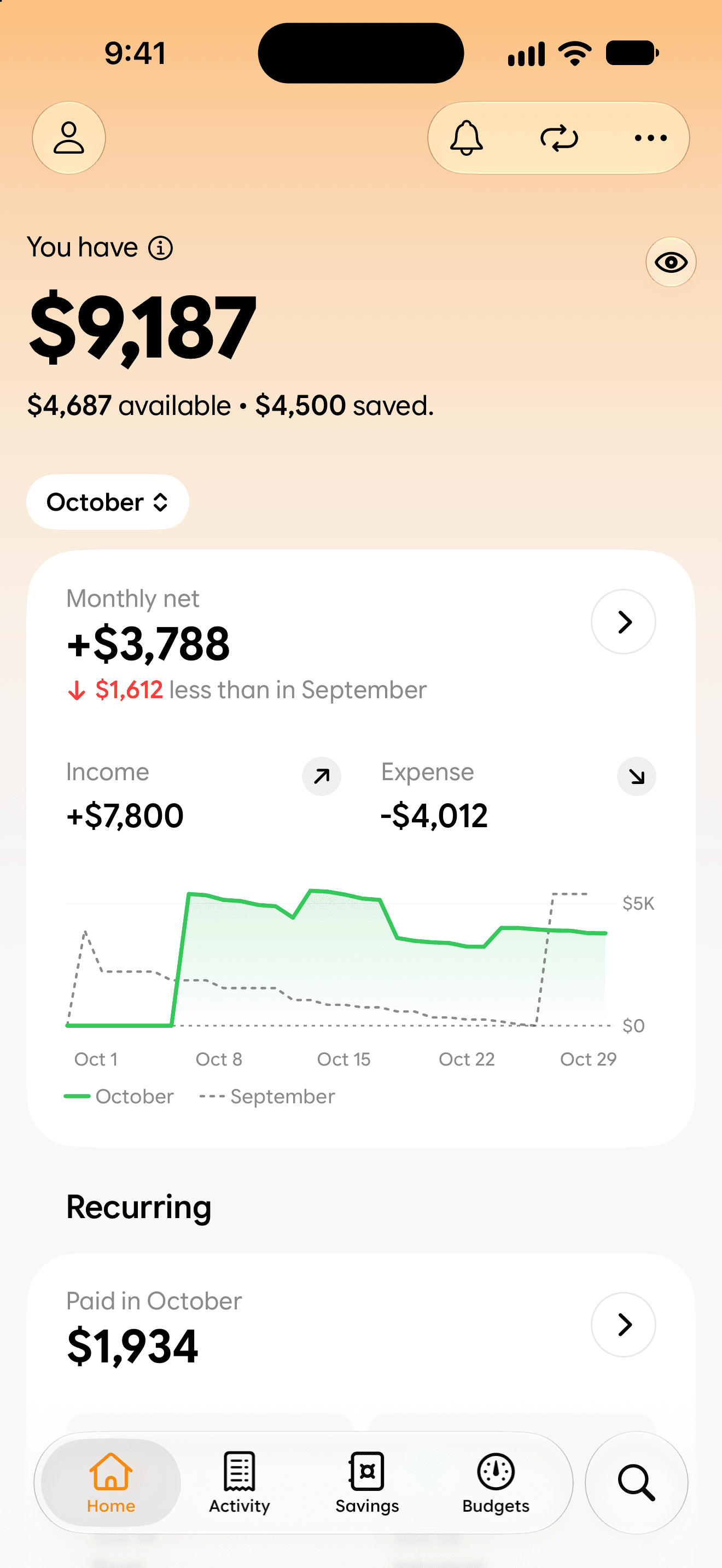
What you have, what came in and what went out, in one clear view, with your subscriptions and bills right below. The whole month readable in a second, without a spreadsheet in sight.
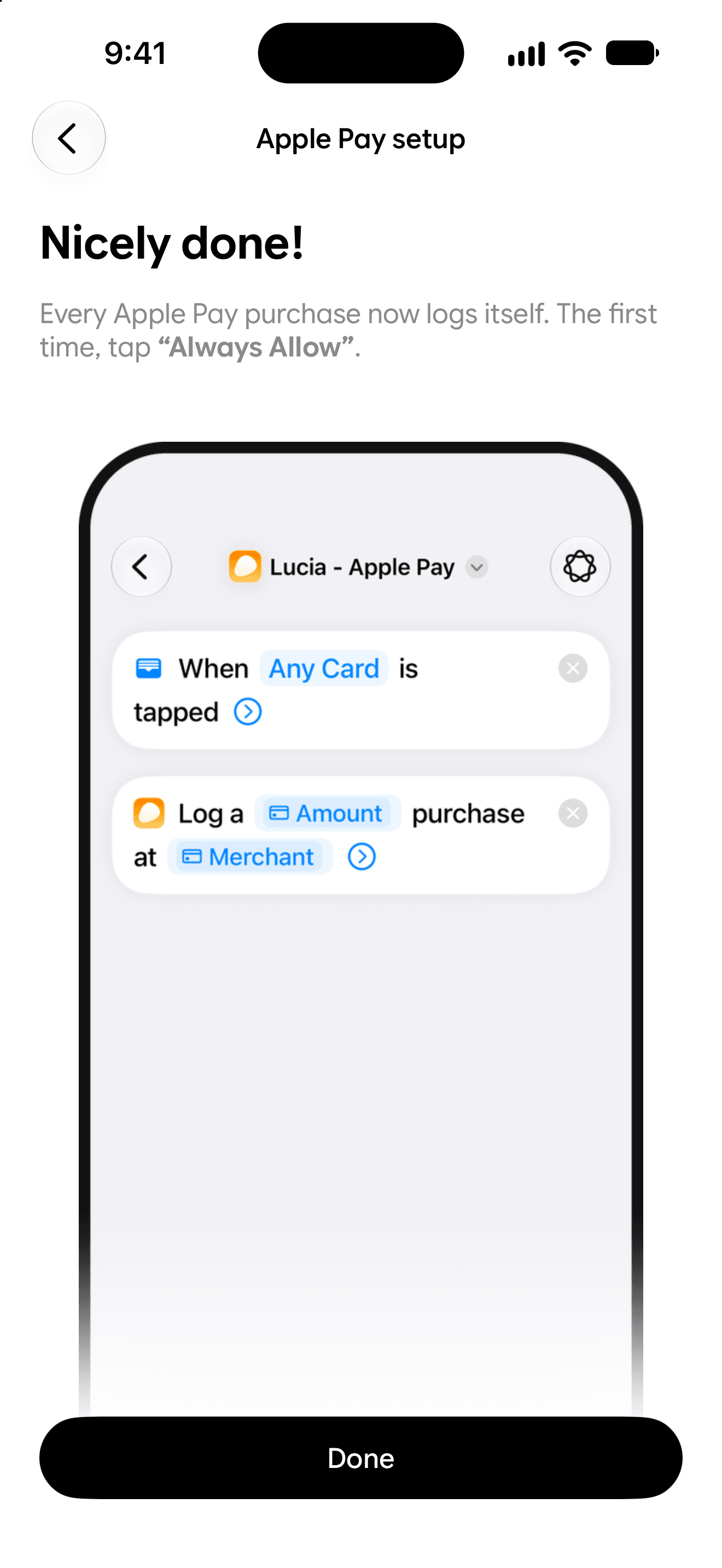
It logs itself.
Link Wallet once. Every Apple Pay purchase is saved and categorised in the background, before you've even put your phone away. Cash, or anything paid another way, takes one tap.
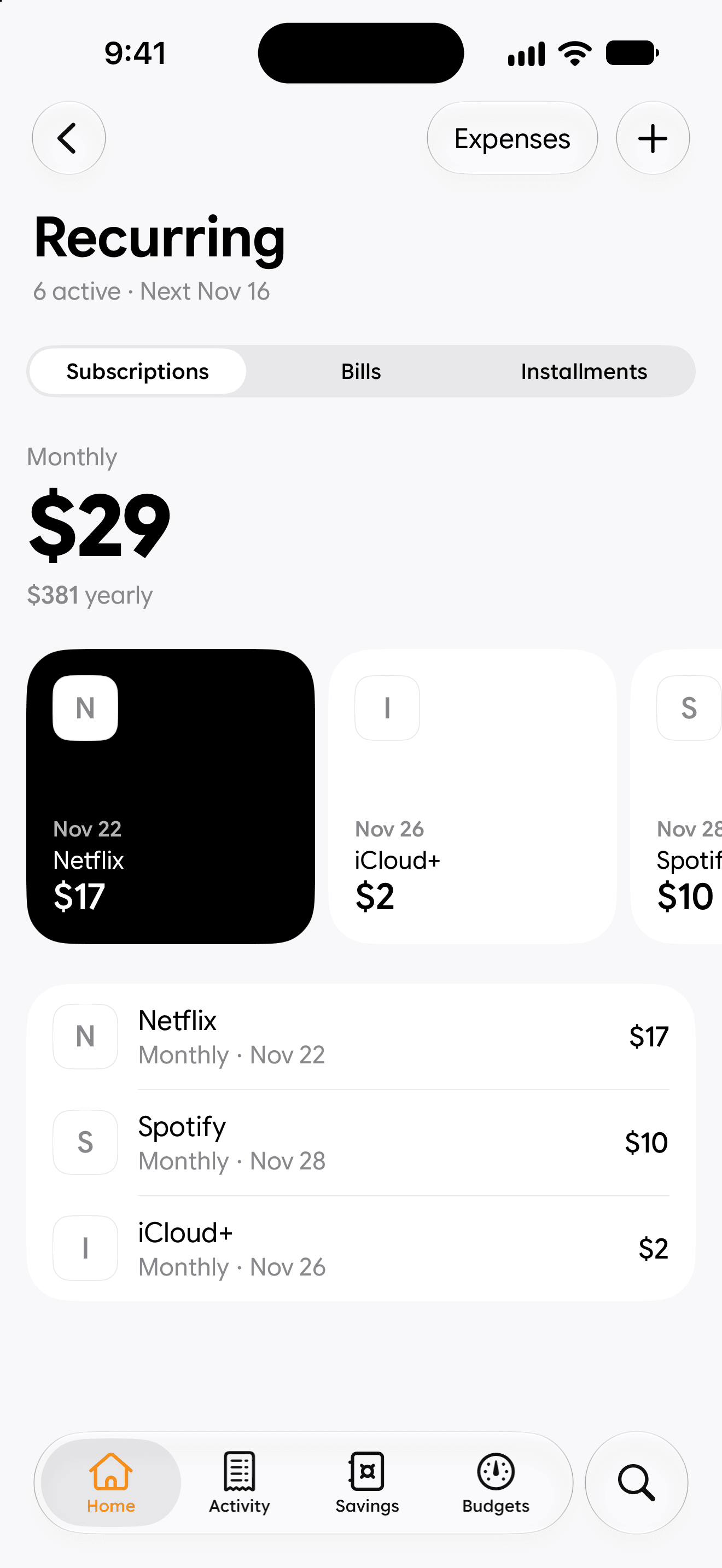
Every subscription, in view.
Add the subscriptions, bills and installments you pay and see what's due next, what they cost each month and what that comes to in a year. Each in its own tab, nothing to dig for.
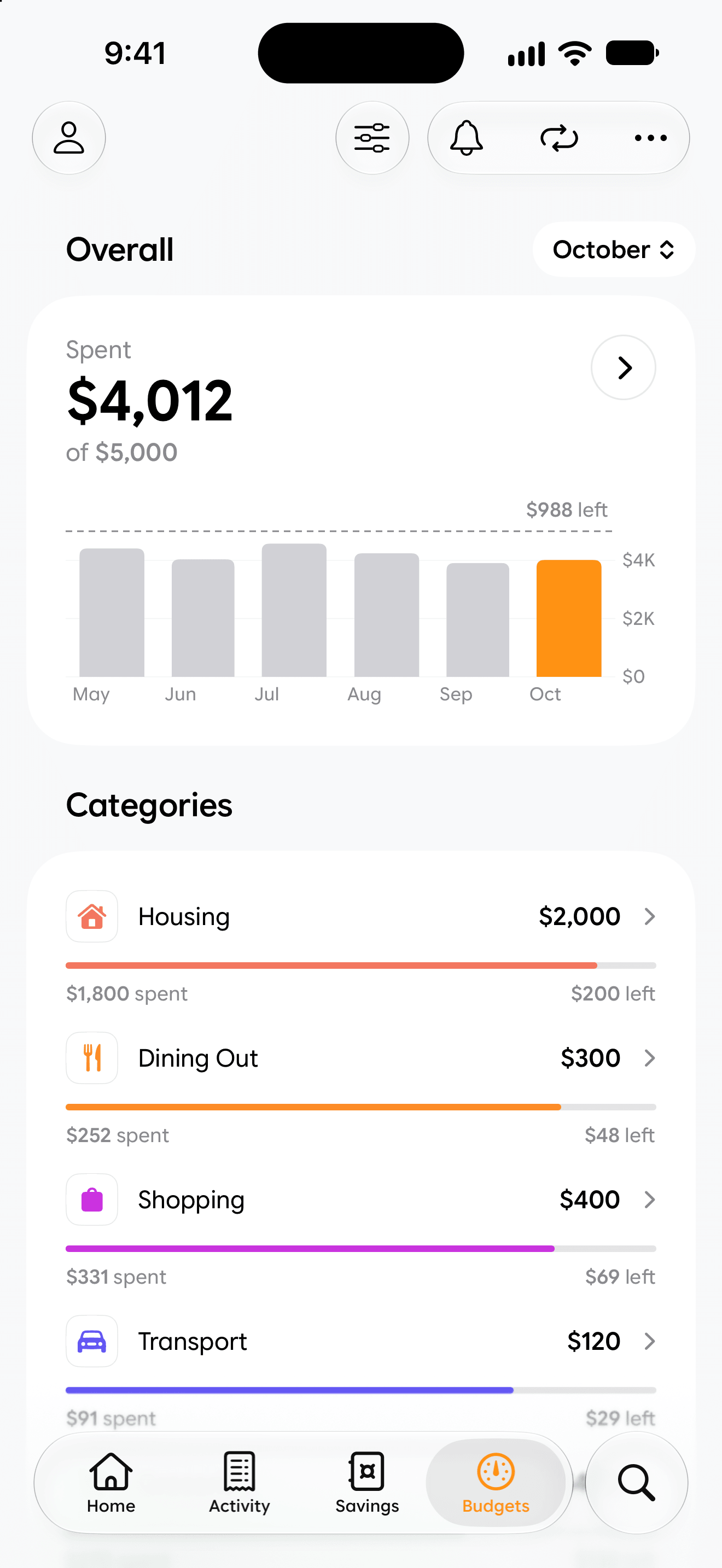
Know before you overspend.
Per-category spending limits with a visual warning as you approach the line. A gentle hand, not a lecture.
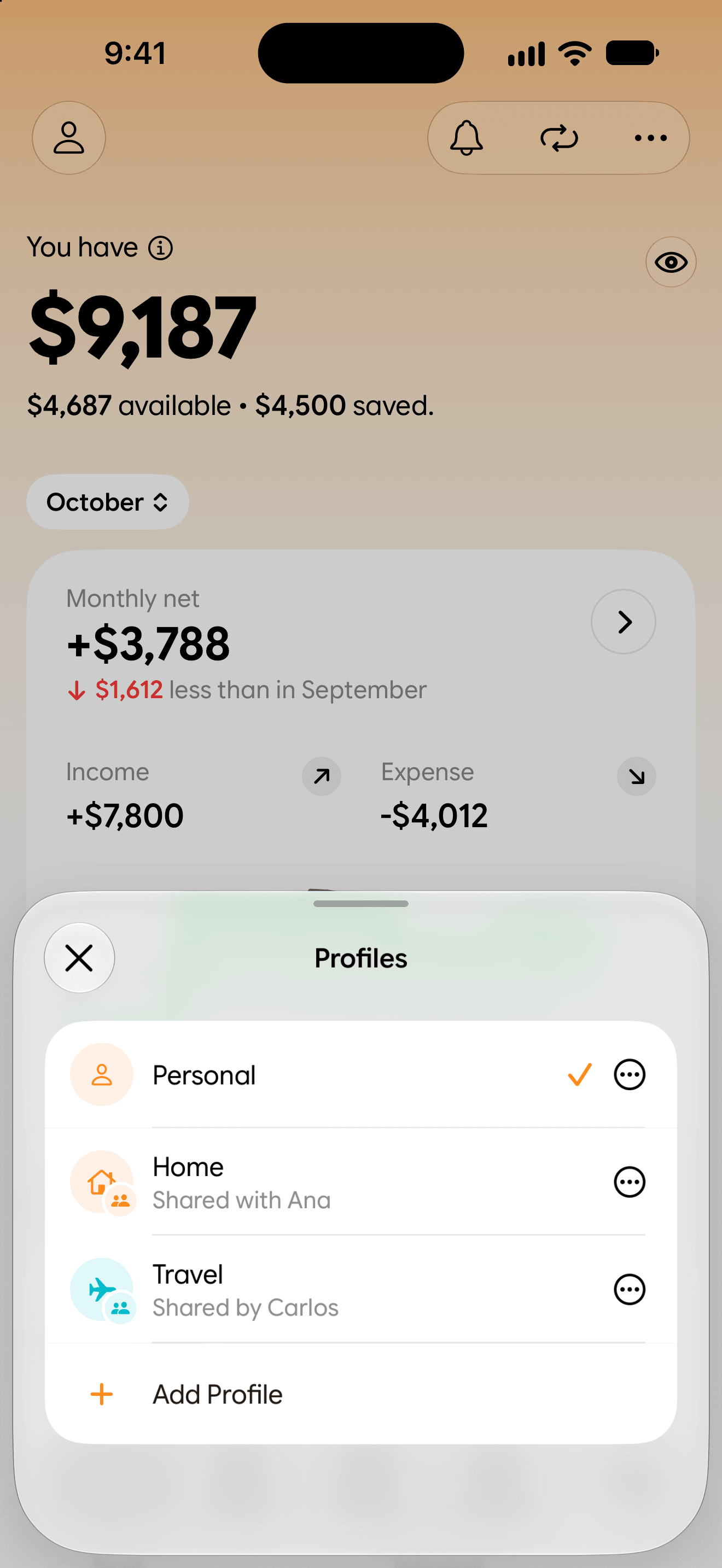
Budget together.
Share a profile through iCloud with anyone you choose. Everyone can log, each transaction shows who added it, and budgets and vaults stay in sync for all of you. Only you decide who joins.
Ways to log
Log it your way.
Most entries never need you to open Lucia. Pick a way to see how to set it up.
Logs itself when you pay
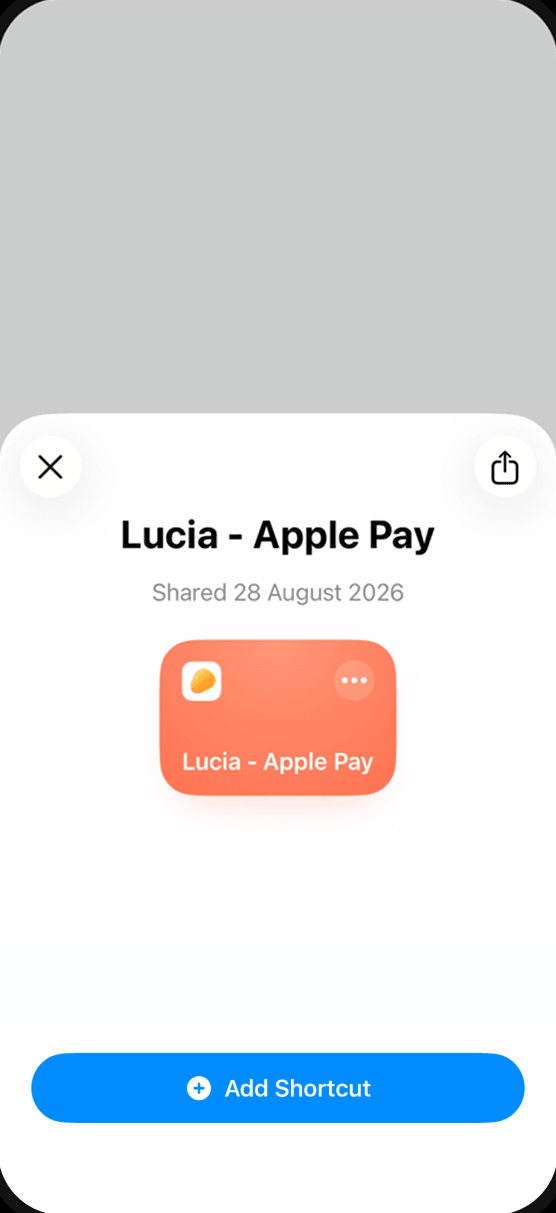
In Lucia, open Settings › Shortcuts › Apple Pay, tap Install shortcut, then Add Shortcut.
Made to keep
Pay once. Yours forever.
We believe personal finance tools shouldn't be another monthly expense to track. No subscriptions, no hidden tiers, no premium lockouts. You buy Lucia once, and you own it for life.

Small details, done properly.
Home-screen widget
See what's available and add a new entry in one tap, right from your Home Screen.
Universal
Native on iPhone and iPad, in step through your own iCloud and shared with whoever you choose.
Currencies
150 currencies, from the Mexican peso to the Brazilian real.
Dark Mode
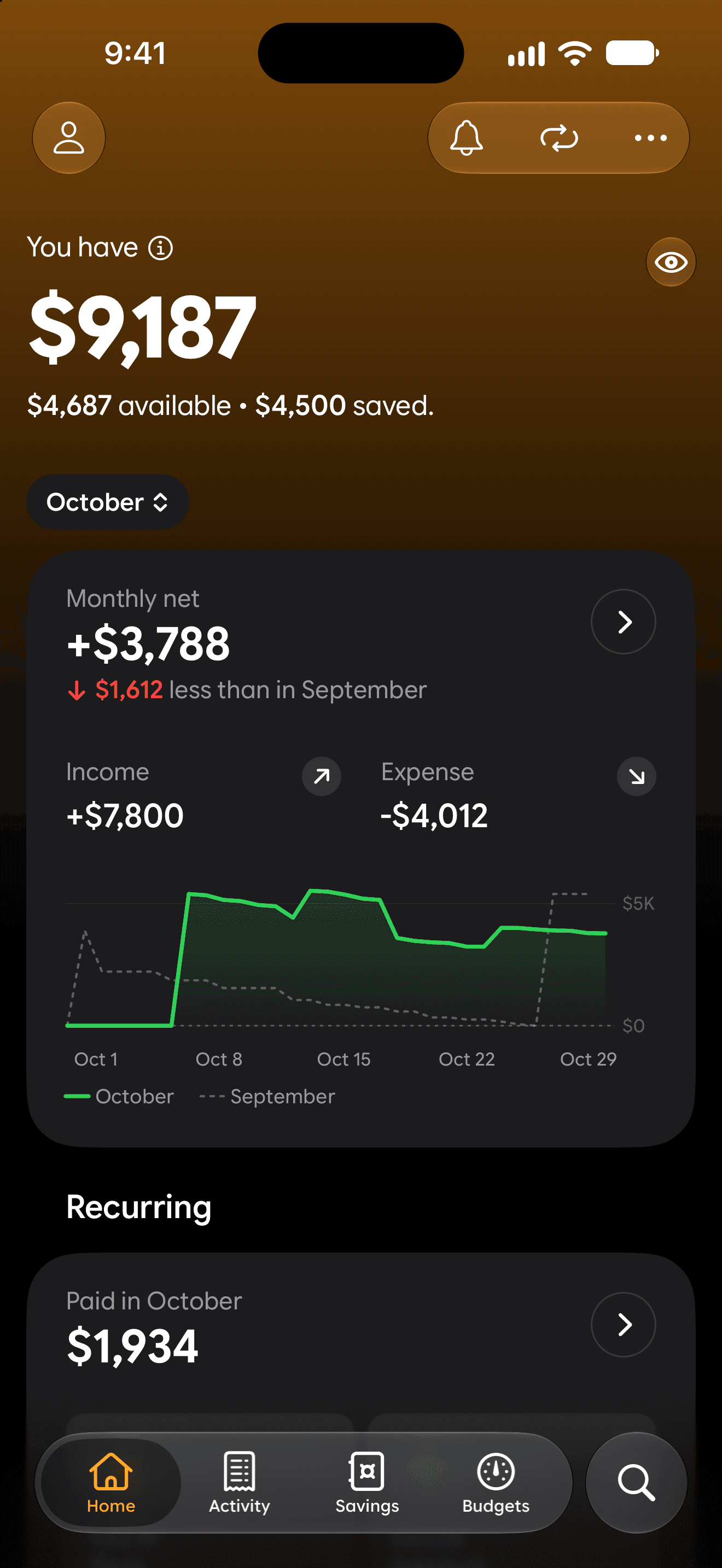
Easy on the eyes. Lucia adapts to your system theme, down to the last pixel.
Questions
Good to know.
Is Lucia a subscription?
No. Lucia is free to download and free for 30 days. After that, one in-app purchase keeps it yours for life, with nothing to renew.
Do I need an account?
No. Your money stays on your device and in your own iCloud. There are no ads and no trackers, and the App Store label reads Data Not Collected.
Why doesn't Lucia connect to my bank?
So your bank login never leaves you. Apple Pay purchases log themselves instead, and anything paid another way takes one tap.
How do Apple Pay purchases log themselves?
Link Wallet once with the shortcut Lucia installs for you. From then on, every Apple Pay purchase lands in Lucia, already in its category. Turn on confirmation banners if you like, and tap one to move its purchase to another profile.
Why didn't an Apple Pay purchase log?
Some banks take minutes to send a purchase to Wallet, and the automation runs the moment you pay, before the details arrive. It isn't your shortcut, so there's nothing to redo. Lucia sends you a notification instead: tap it and the purchase opens ready to finish, with its time and, when Wallet has it, the store. Allow Lucia's notifications so it can reach you.
Can I log with the Action Button?
Yes. Press and hold the Action Button to log, even when your iPhone is locked. Set it up in Lucia, under Settings > Shortcuts.
And with Back Tap?
Yes. Double-tap the back of your iPhone to log. Lucia installs the shortcut and walks you through the rest.
Can I log with Siri?
Say "Log a transaction in Lucia" or "Add an expense in Lucia" on your iPhone, on AirPods or in CarPlay, and it's logged. Lucia doesn't need to be open.
Can I share a budget with my partner?
Yes. Shared profiles sync through iCloud. The person you invite needs Lucia 1.3 or later and their own trial or purchase.
What happens when I get a new iPhone?
Sign in with the same Apple Account and your entries come back through iCloud. Tap Restore purchase and Lucia is yours again.
Which currencies and languages?
150 currencies. Lucia speaks English, Spanish, Portuguese, French, German and Simplified Chinese.
Does it work on iPad?
Yes, and it stays in sync with your iPhone through iCloud. Apple Pay logging and the Action Button are set up on the iPhone; what they log shows up on the iPad too.
Out now