 Nodo.
Did I? Now you'll know.
- Your iCloud, never our servers
- No account
- No ads, no tracking
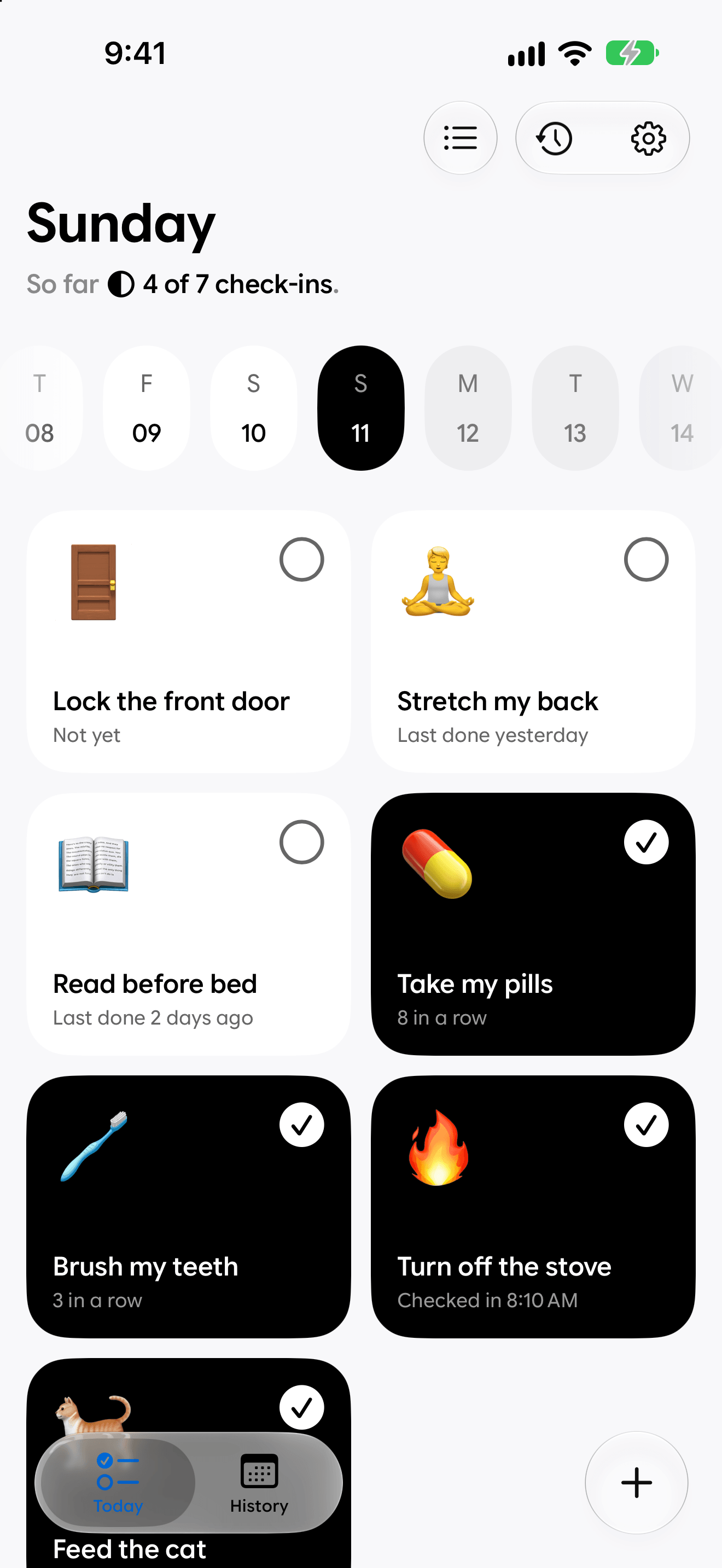
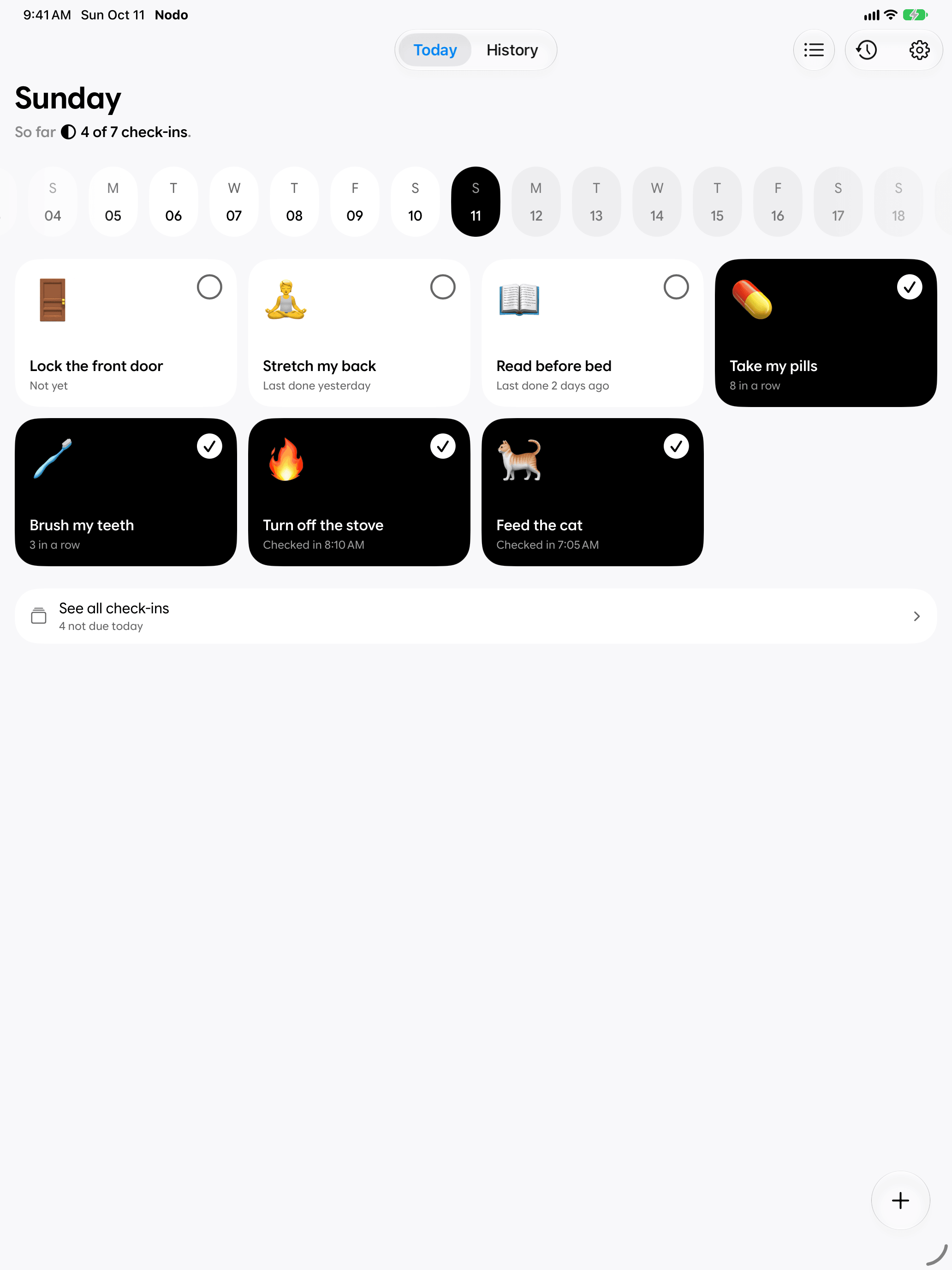
A filled tile means done.
Today shows what's due. Tap once when you do it. That's the whole language. Something still open waits quietly, with no red badges and no guilt.
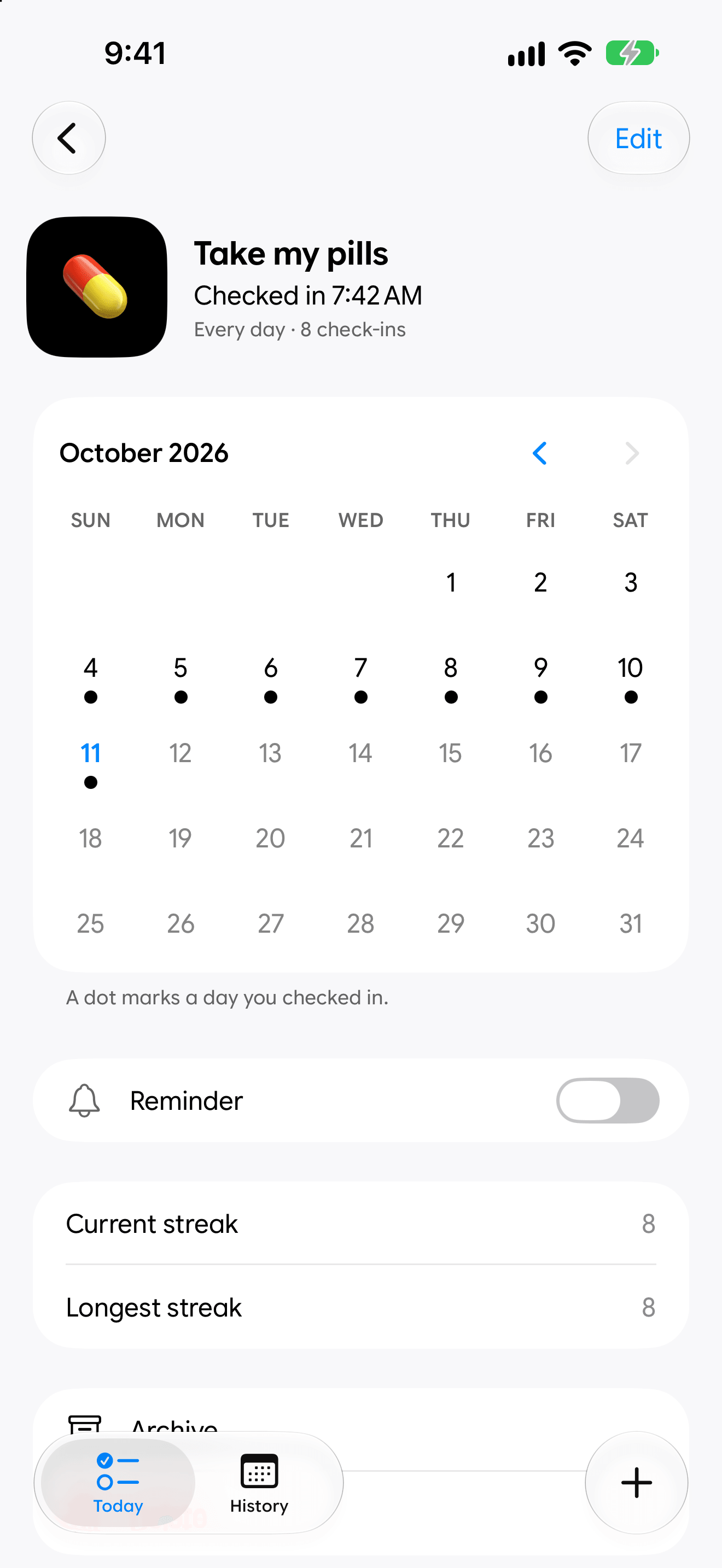
Yes, at 7:42 AM.
When you last did it, and every day you did. Streaks show up only where you want them.
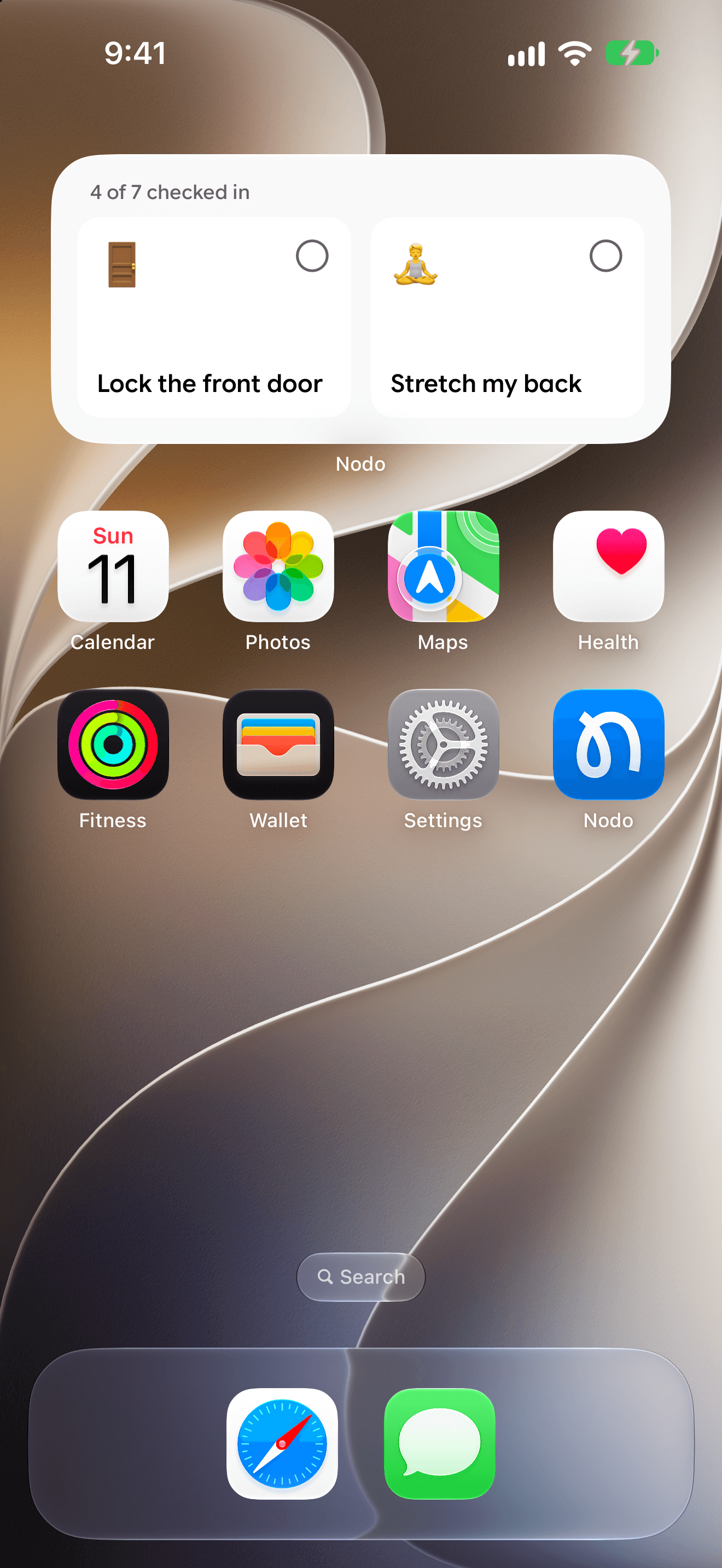
No need to open the app.
Check in from a widget on the Home Screen or the Lock Screen, from Control Center or from the Action Button.
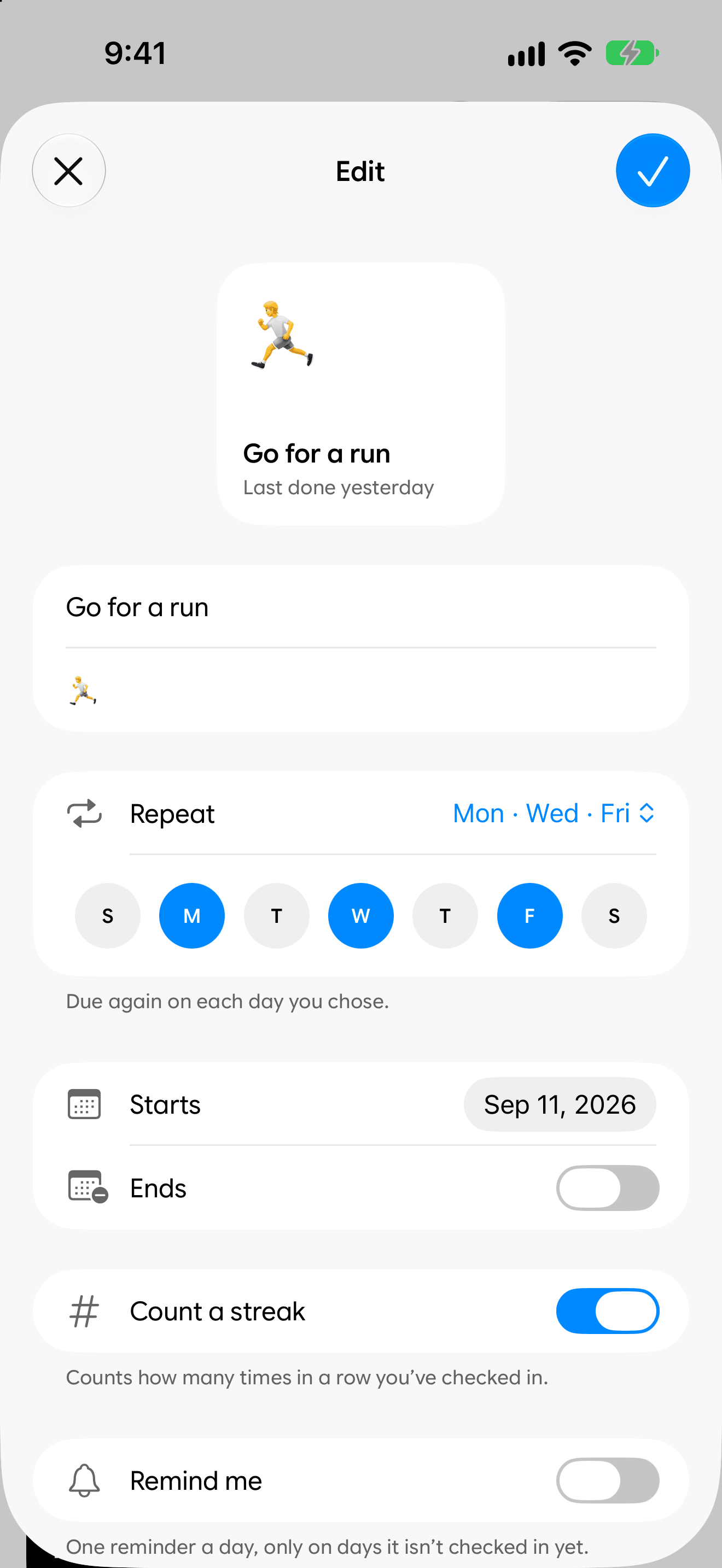
Repeats the way life does.
Every day, on the days you choose, or a set number of days after the last time. Each check-in resets on its own, with nothing to clear at midnight. Reminders are optional, and only come on days you haven't checked in yet.
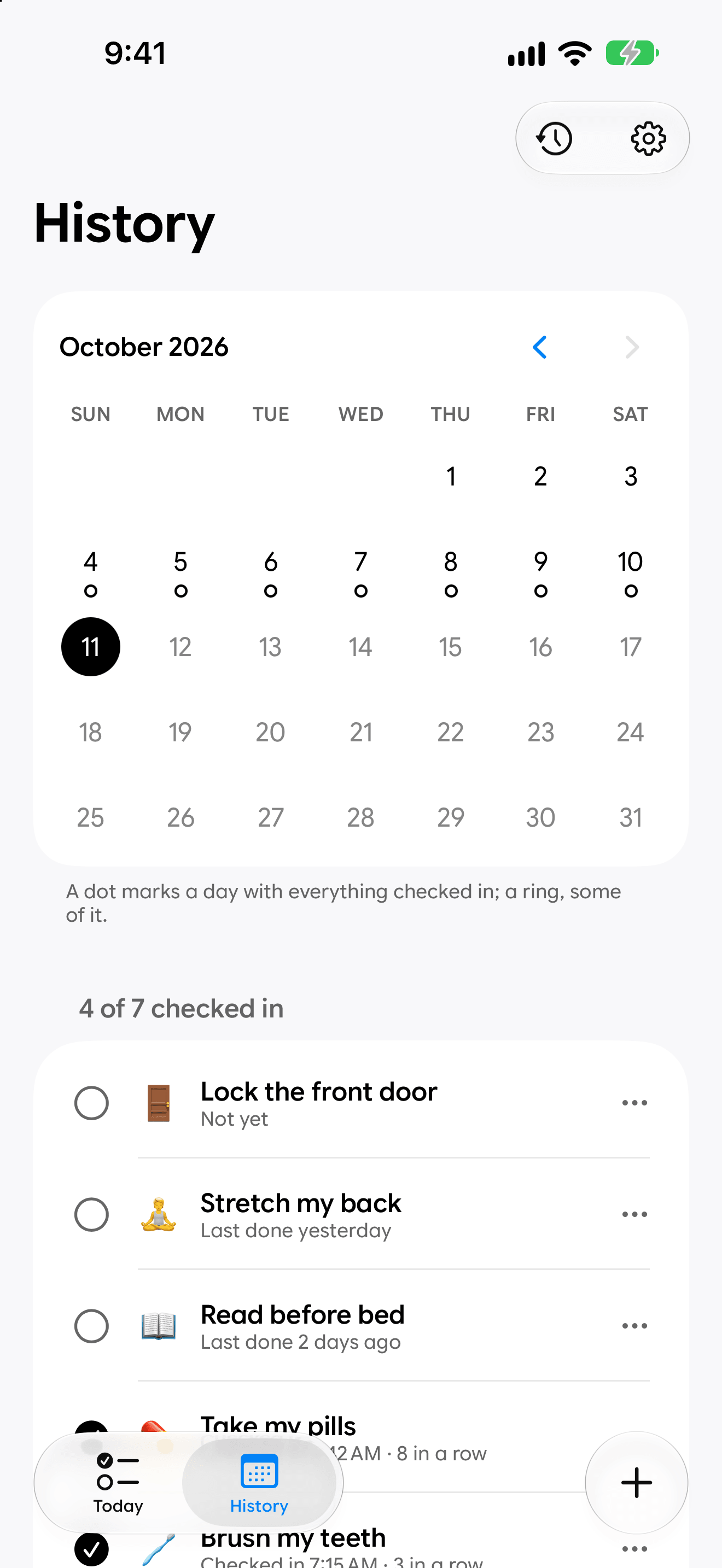
Look back at any day.
See what you checked in, and log what you forgot to tap.
Calm on purpose
It does one thing.
Nodo helps you stop wondering. Your check-ins sync between your devices through your own iCloud, and they stay yours.
- 1
- Tap to check in
- 0
- Ads or trackers
- 100%
- In your iCloud
Feels like part of iOS.
No need to open the app.
Check in from a widget, Control Center or the Action Button.

iPhone and iPad
Native on both, kept in step through your own iCloud.
For everyone
Dark Mode, Dynamic Type and VoiceOver, in six languages.
Free to start
Every feature from day one. Unlock Nodo once to add as many as you like.
Questions
Good to know.
What is Nodo for?
The small things you do and then doubt: the pills, the door, the plants. Tap once when it's done and Nodo remembers when.
Is it free?
You start free, with one check-in and every feature. A one-time unlock adds unlimited check-ins. No subscription, and it works with Family Sharing.
Do I have to open the app?
No. Check in from a widget on the Home Screen or Lock Screen, from Control Center, or with the Action button.
Will it nag me?
Only if you ask it to. Reminders are optional, and they only come on days you haven't checked in yet.
Where does my data live?
In your own iCloud. No account, no ads, no tracking.
What do I need?
An iPhone or iPad with iOS 26 or later. Nodo speaks six languages.
Out now